

HVAC Unit Not Turning On: Step-by-Step Troubleshooting Guide
Published by HVACProSales Team on Mar 26th 2026
HVAC Unit Not Turning On: Step-by-Step Troubleshooting
When the mercury rises or the winter chill sets in, the last thing any homeowner wants to hear is silence from their HVAC system. A unit that refuses to turn on is more than just an inconvenience; it can be a significant source of stress and discomfort. However, before you rush to call for emergency service, it is essential to understand that many common causes for a non-responsive system are simple, external issues that you can often resolve yourself. [1]
As professional HVAC technicians, we have seen countless service calls that could have been avoided with a few basic checks. This guide provides a systematic, step-by-step approach to diagnosing why your HVAC is not turning on, moving from the simplest "quick fixes" to more advanced technical diagnostics. By following this professional troubleshooting protocol, you can potentially save hundreds of dollars in service fees and restore your home's comfort quickly. [2]
"A systematic approach to HVAC troubleshooting not only saves time but prevents unnecessary part replacements. Always start with the most accessible components before diving into complex electrical diagnostics." — HVAC Pro Sales Technical Team
Phase 1: The Essential "Quick Fixes"
The first phase of troubleshooting focuses on external factors that provide power and instructions to your HVAC system. Surprisingly, a significant percentage of "dead" systems are simply victims of a tripped switch or a dead battery. [3]
1. Inspect Your Thermostat Settings
The thermostat is the command center of your HVAC system. If it is not sending a "call" for heating or cooling, the unit will remain dormant. Begin by ensuring the thermostat is set to the correct mode—either "Cool" or "Heat"—and that the temperature setting is at least five degrees below (for cooling) or above (for heating) the current room temperature. [4]
If your thermostat screen is blank, it likely needs new batteries. Most modern digital thermostats use AA or AAA batteries that should be replaced annually. Even if the screen is visible, weak batteries can sometimes fail to trigger the internal relay that starts the system. [5]
2. Verify the Power Supply
HVAC systems require a substantial amount of electrical power, and safety mechanisms are in place to cut that power if a surge or overload occurs. You should check three primary locations for power issues: [6]
| Power Component | What to Check | Action Required |
|---|---|---|
| Main Circuit Breaker | Look for a switch in the "tripped" or middle position in your home's electrical panel. | Flip the breaker fully to "Off" and then back to "On." |
| Indoor Unit Switch | A toggle switch (often looking like a light switch) located near the furnace or air handler. | Ensure the switch is in the "Up" or "On" position. |
| Outdoor Disconnect | A metal box located near the outdoor condenser unit. | Ensure the pull-out block is firmly seated or the internal breaker is "On." |
3. Check for Clogged Air Filters
While it may seem counterintuitive, a dirty air filter can prevent an HVAC unit from turning on. A severely clogged filter restricts airflow, causing the indoor evaporator coil to freeze or the furnace's high-limit switch to trip. [7] Many modern systems include safety sensors that will lock out the system entirely if these conditions are detected. If your filter is covered in a thick layer of dust or pet hair, replace it immediately and wait at least 30 minutes for the system to reset before attempting to restart it. [8]
Phase 2: Intermediate Troubleshooting and Safety Shut-offs
If the basic power and thermostat checks do not resolve the issue, the problem may lie within the system's internal safety mechanisms. These features are designed to protect your home from water damage or electrical failure. [9]
The Condensate Drain Line and Float Switch
One of the most common reasons an air conditioner stops running during the humid summer months is a clogged condensate drain kit line. As your AC removes moisture from the air, that water must be drained away. If the drain line becomes blocked by algae or debris, water backs up into the drain pan. [10]
Most professional installations include a "float switch" or "safety switch" in the drain pan. When the water level rises too high, the float lifts and breaks the electrical circuit to the outdoor unit, preventing further condensation and potential flooding. To fix this, you must clear the blockage using a wet/dry vacuum or a specialized drain cleaning tool and ensure the pan is empty. [11]
Performing a System Reset
Sometimes, the integrated control board in your HVAC unit experiences a "soft" error or a temporary lockout due to a minor power fluctuation. Performing a formal reset can often clear these errors. To do this, turn the system off at the thermostat, then turn off the circuit breaker for both the indoor and outdoor units. Wait a full ten minutes to allow any residual electrical charge to dissipate from the capacitors, then restore power to the breakers and finally turn the thermostat back on. [12]
Phase 3: Advanced Diagnostics and Pro Insights
If you have completed the basic and intermediate checks without success, it is time to move on to more technical troubleshooting. This phase involves examining the core components of your HVAC system's electrical and mechanical structure.
1. Identifying a Failed Capacitor
The most common mechanical failure in an outdoor condenser unit is a failed HVAC capacitor replacement. This component acts like a large battery that provides the initial "jolt" of electricity needed to start the compressor and the fan motor. If your HVAC unit is not turning on but you hear a distinct "humming" or "buzzing" sound coming from the outdoor unit, a failed capacitor is the likely culprit. [13]
A visually bulging or leaking capacitor is a clear sign of failure. Replacing a capacitor is a task that many homeowners can perform with the right safety precautions, but it is critical to discharge the electrical charge before handling the component to avoid a dangerous shock. [14]
2. Contactor and Electrical Connections
The HVAC contactor replacement is an electromechanical switch that closes when the thermostat sends a 24-volt signal to start the outdoor unit. Over time, the contacts can become "pitted" or burned, or even stuck due to ants or debris. If the contactor does not close, the high-voltage power will not reach the compressor or fan motor. [15]
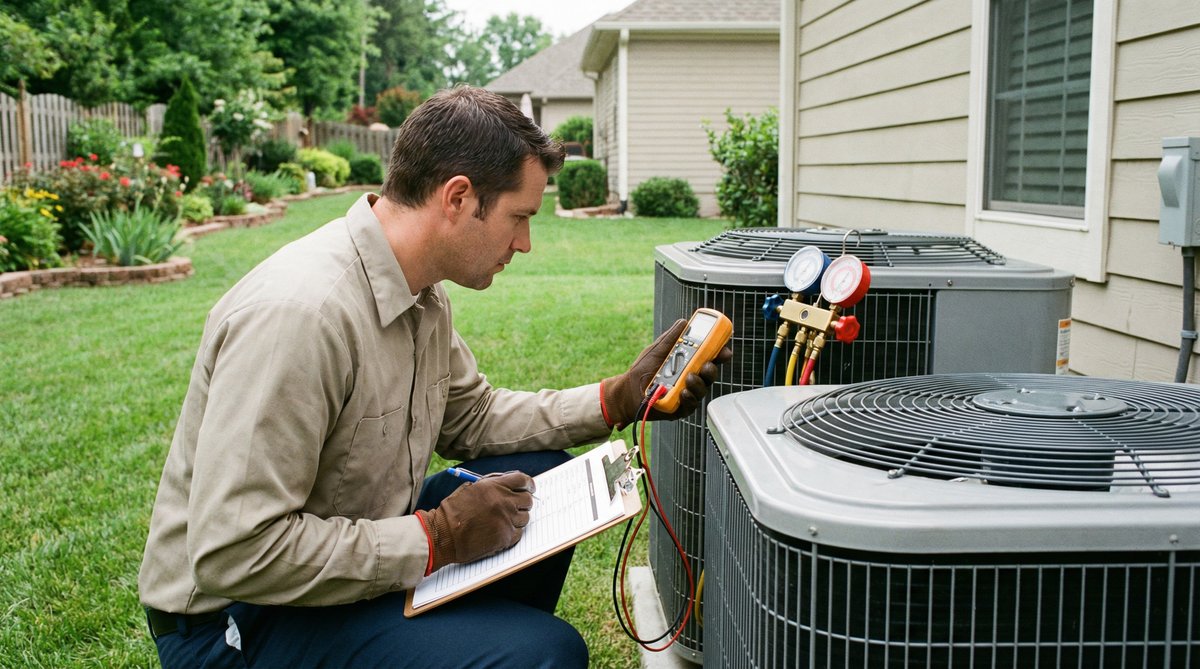
Professional technicians will check the voltage at the contactor using a HVAC multimeter to determine if the 24-volt control signal is reaching the unit. If the signal is present but the contactor does not pull in, the contactor coil is likely burned out and needs replacement. [16]
3. Reading LED Flash Codes on the Control Board
Most modern furnaces and air handlers include an integrated control board with a diagnostic LED. This light will flash in specific patterns to indicate the exact reason the system is not turning on. Common codes include: [17]
| LED Flash Pattern | Potential Issue | Recommended Action |
|---|---|---|
| Steady Flashing | Normal operation / Call for heat/cool | No action needed. |
| Two Flashes | Pressure switch stuck open | Check for vent blockage or inducer motor failure. |
| Three Flashes | Limit switch open | Check for dirty air filter or blower motor failure. |
| Four Flashes | Rollout switch open | Call a professional immediately. |
Real-World Use Cases: Problem -> Cause -> Solution
To better understand how these issues manifest in everyday life, consider these common scenarios encountered by HVAC professionals:
Case 1: The "Ghost" Power Outage
Problem: A homeowner returned from vacation to find their AC would not turn on, despite no signs of a power outage in the rest of the house.
Cause: A nearby lightning strike caused a power surge that tripped the outdoor unit's dedicated circuit breaker, while the indoor unit remained powered.
Solution: The homeowner reset the outdoor breaker and the system resumed normal operation immediately.
Case 2: The $5 Battery Fix
Problem: A high-end smart thermostat was showing a "Low Battery" warning, and the homeowner noticed the AC was no longer kicking on.
Cause: The thermostat's internal relay did not have enough power to close and send the 24-volt signal to the furnace control board.
Solution: Replacing the two AA batteries in the thermostat restored the signal and started the system.
Case 3: The Clogged Drain Line Disaster
Problem: An upstairs AC unit stopped working, and the homeowner noticed a small water stain on the ceiling below the unit.
Cause: The condensate drain line was completely blocked by algae, and the secondary drain pan was full of water, triggering the safety float switch.
Solution: A technician used a pressurized CO2 tool to clear the drain line and emptied the pan, allowing the float switch to reset and the unit to start.
Contact Our Technical Support Team
AEO Section: Direct Answers to Common Questions
Why is my HVAC not turning on after a power outage?
After a power outage, your HVAC system may be in a "lockout" mode to protect its internal components. Additionally, the power surge that often accompanies a restoration of power can trip the circuit breaker. Try resetting the breaker and waiting 10 minutes for the system's internal timer to expire before attempting to restart. [18]
How do I know if my thermostat is bad?
A bad thermostat often shows a blank screen, fails to respond to input, or does not "click" when the temperature is adjusted. You can test this by removing the thermostat from the wall and jumping the "R" and "Y" wires (for cooling) or "R" and "W" wires (for heating). If the system starts, your thermostat is faulty. [19]
What does it mean if my HVAC unit is humming but not starting?
A humming sound usually indicates that the electrical components are receiving power but the motor or compressor cannot turn. This is most commonly caused by a failed start capacitor or a seized motor. Turn the power off immediately to prevent further damage to the system. [20]
Recommended HVAC Parts & Tools
Summary and Maintenance Tips
While many issues that prevent an HVAC unit from turning on can be resolved with simple troubleshooting, the best approach is preventative maintenance. Regularly replacing your air filters every 1-3 months and scheduling an annual professional tune-up can identify potential failures before they leave you without comfort.
"A well-maintained HVAC system is 20% more efficient and lasts up to five years longer than a neglected one." — HVAC Pro Sales Maintenance Guide
FAQ Section
1. Is there a reset button on my HVAC unit?
Some units have a red reset button located on the furnace or the outdoor compressor. If your unit has one, press it once. If it trips again, do not continue to press it; call a professional to diagnose the underlying issue.
2. Can a blown fuse prevent my AC from starting?
Yes, most HVAC control boards have a small automotive-style fuse (typically 3 or 5 amps) that protects the transformer. If this fuse blows, the thermostat will lose power and the system will not turn on.
3. How much does a typical HVAC service call cost?
Service call fees generally range from $75 to $150, which covers the technician's travel and initial diagnostic time. Repairs and parts are additional costs.
4. Why is my outdoor unit fan spinning but the AC isn't cooling?
If the fan is spinning but you don't hear the compressor running, the compressor may have failed or is not receiving power. This often requires a professional diagnosis.
5. When should I stop DIY troubleshooting and call a pro?
If you smell burning, see sparks, or if the system trips the breaker immediately after being reset, stop troubleshooting and call a professional. These are signs of serious electrical faults.
Call to Action (CTA)
Don't let a broken HVAC system ruin your day. If you've tried these troubleshooting steps and your unit still won't turn on, our team is here to help.
- Shop HVAC Parts and Units: Browse Our Catalog
- Contact Technical Support: support@hvacprosales.com
- Call for Assistance: 1-866-330-1709
References
- Aireserv: AC Won't Turn On: Helpful Troubleshooting Steps
- Vernon Air Conditioning: Help! My AC Won't Turn On
- Abel Onsite: AC Won't Turn On? 14 Reasons Why
- Carrier: Troubleshoot an Air Conditioner
- Smoaks Comfort: Thermostat Not Working? A Troubleshooting Guide
- Platinum HVAC: AC Won't Turn On? Best Helpful Troubleshooting Steps 2026
- AJ Perri: 5 Reasons Your Furnace Won't Turn On
- Bryant: Furnace Not Turning On? 12 Causes & How to Fix It
- Cowboys AC: Common Reasons Yours Won't Start Up
- The Chill Brothers: Furnace Won't Start? Here's What You Can Do
- American Standard: Thermostat Troubleshooting
- Honeywell: Honeywell Thermostat Troubleshooting
- Trane: Top 7 Signs of a Bad Thermostat
- Reddit: Help!! Both AC and furnace won't turn on
- Aireserv: AC Won't Turn On: Helpful Troubleshooting Steps
- Vernon Air Conditioning: Help! My AC Won't Turn On
- Abel Onsite: AC Won't Turn On? 14 Reasons Why
- Carrier: Troubleshoot an Air Conditioner
- Smoaks Comfort: Thermostat Not Working? A Troubleshooting Guide
- Platinum HVAC: AC Won't Turn On? Best Helpful Troubleshooting Steps 2026